
The short answer
For most businesses, a good website comes first, and many never need an app. An app earns its place when the same people would open it every week, or when it needs something a browser can’t do well, like pairing with a Bluetooth device. If neither is true, a fast website that works well on a phone does the job with much less upkeep.
There’s a middle path too: a website people can add to their home screen, that can send notifications and keep working on a poor connection. For many “we should have an app” ideas, that’s enough.
Do I need an app for my business?
An app is worth a closer look if one or more of these is true.
- People come back every week. A gym with class bookings, say, or a club with members. If your best customers wouldn’t open it weekly, it will sit in a folder until it’s deleted.
- It needs the phone itself. Pairing with a Bluetooth device, for example, which Safari on iPhone doesn’t support.1 Check your exact feature before deciding.
- Notifications people would actually want. “Your class starts in an hour” or “Your order is ready,” not “20% off this weekend.” A home-screen website can send these too.
- A quick task on the move, again and again. Rebooking, checking in, showing a pass at the door, where logging in to a website every time gets old.
- It has to work without signal. On its own this rarely decides it, because a website can be built to work offline too.
Now the other side. If clients need you a few times a year, as with a firm they contact twice a year, they need a site they can find more than an app they have to remember they installed. If the app would only show what the site shows (services, hours, prices, a contact form), Apple’s rules are against you: apps “shouldn’t primarily be marketing materials, advertisements, web clippings, content aggregators, or a collection of links.”2 If you mainly want new customers, an app serves the wrong people, because it reaches those who already chose you while everyone still deciding looks you up on the web. And if the reason is that a competitor has one, that tells you what they spent, not what their customers use.
If nothing in the first list fits, put the effort into the website. If one or two fit, try the middle path below first. If several fit and your customers would open it every week, an app is likely worth building.
App vs website: the real differences
Most of the difference shows up after launch.
| Website | App in the stores | |
|---|---|---|
| How people find it | Search, maps, links and AI answers. One tap opens it, with nothing to install. | A store search or a link to your listing, then an install before they see anything. |
| Who approves changes | You. | The store. Apple reviews “all apps, app updates” before they go out.3 |
| Getting a fix out | Publish it, and everyone sees it on their next visit. | Submit, wait for review (Apple typically reviews at least half of submissions within 24 hours and 90% within 48),3 then people get it as their phones update the app. |
| Phones covered | One site works on every phone and computer. | iPhone and Android are two apps to test, submit and keep current, even when they share code. |
| Accounts to keep | A domain and hosting. | Apple’s developer program is $99 a year.4 Google Play charges $25 once.5 Plus hosting for anything the app connects to. |
| Store commission | No platform takes a share. | On digital goods and subscriptions sold through the store’s in-app purchase, it takes a share: 15% in Apple’s Small Business Program.6 Google’s rates vary by region and changed in 2026.7 Physical goods and services, like a class or a repair, have to be paid through your own checkout, so there’s no store commission on them.8, 9 |
| What you own | The domain, code and content, if your contract says so. | The code, and the developer accounts if they’re in your business’s name. The store still decides whether you’re listed. |
Ownership has catches of its own. See who owns your website for the accounts to hold in your name.
Can a website work like an app?
Yes, more than most people expect. A progressive web app is a website built to behave like an app. Mozilla’s developer documentation says it “can be installed on the device, can operate while offline and in the background, and can integrate with the device and with other installed apps.”10
- On iPhone, since iOS 26, “every website added to the Home Screen opens as a web app” by default.11 People add it themselves, from the browser’s share menu.12
- Notifications on iPhone have worked for home-screen web apps since iOS 16.4, as long as the permission request follows a tap from the person.13
- On Android, depending on the phone and browser, it can install as an app package that appears under Settings, Apps, like any other app.12
- Push messages from websites have been available “across browsers since March 2023,” according to Mozilla.14
The limits are real. It isn’t in the app stores, so nobody finds it by browsing there. On iPhone, people have to add it to the home screen before notifications are possible. And some hardware is out of reach, Bluetooth included.1
When it’s enough: if your reasons are notifications and a quick task people repeat, start here. You’ll see whether people actually add it and use it before you pay for two store apps and their upkeep.
What does it cost to keep an app running?
The build is the cost you see. The biggest of the ones that keep coming is the yearly rule change. Since 28 April 2026, Apple only accepts apps “built with Xcode 26 or later using an SDK for iOS 26” (Xcode is Apple’s tool for building apps) or the matching versions for its other devices.15 From 31 August 2026, Google requires new apps and updates to target Android 16, and existing apps must target at least Android 15 to stay available to new users on newer phones.16 So every year someone rebuilds, tests on new phones and resubmits, on both platforms, even when nothing else changed.
Then there’s the review for every update (even a typo fix in the app itself goes through the store), and the server behind it, where logins, bookings and data live and which needs hosting, security updates and backups like any website. And there’s support: people will write when the app misbehaves on their phone, and leave store reviews you’ll want to answer.
None of this is unusual. It’s just never finished, which is why an app needs an owner for as long as it’s live. Before you start, ask any builder who will make the yearly updates and what they cost. Our list of questions to ask a web designer covers the rest, and what a website costs has published prices for the site side.
If you do build an app, get these right first
- One job, done well. Pick the task people repeat most and make it fast. The rest can wait until people use it.
- Developer accounts in your business’s name. Apple asks organizations for a D-U-N-S Number and shows the organization’s name “as the seller name of your apps on the App Store.”17 If a builder publishes under their own account, their name is the one on your listing.
- iPhone, Android or both, from your own numbers. Your website analytics show which phones your visitors use. Start where most of your customers are.
- The website stays the front door. New customers still find you there. Link to the app from it, and keep everything important reachable without an install.
- Ask for notifications when they make sense. Right after someone books, not the first time the app opens.
- An owner for upkeep, in writing. Who makes the yearly updates, who answers reviews, and who holds the logins.
Questions
Can I just turn my website into an app?
Not usefully. Apple asks for more than “a repackaged website” and rejects apps made with template or app-generation services unless the business itself submits them.2 Google doesn’t allow “apps that only have limited functionality and content.”18 A site people can add to their home screen is usually the better version of that idea.
Do I need separate apps for iPhone and Android?
Not always separate code. Cross-platform tools can build both from one codebase, but each version is still tested, submitted, reviewed and updated in its own store.
Can I start with a website and add an app later?
Yes. The website shows you which phones your customers use and what they come back for, which is exactly what an app should be built around.
Where we come in
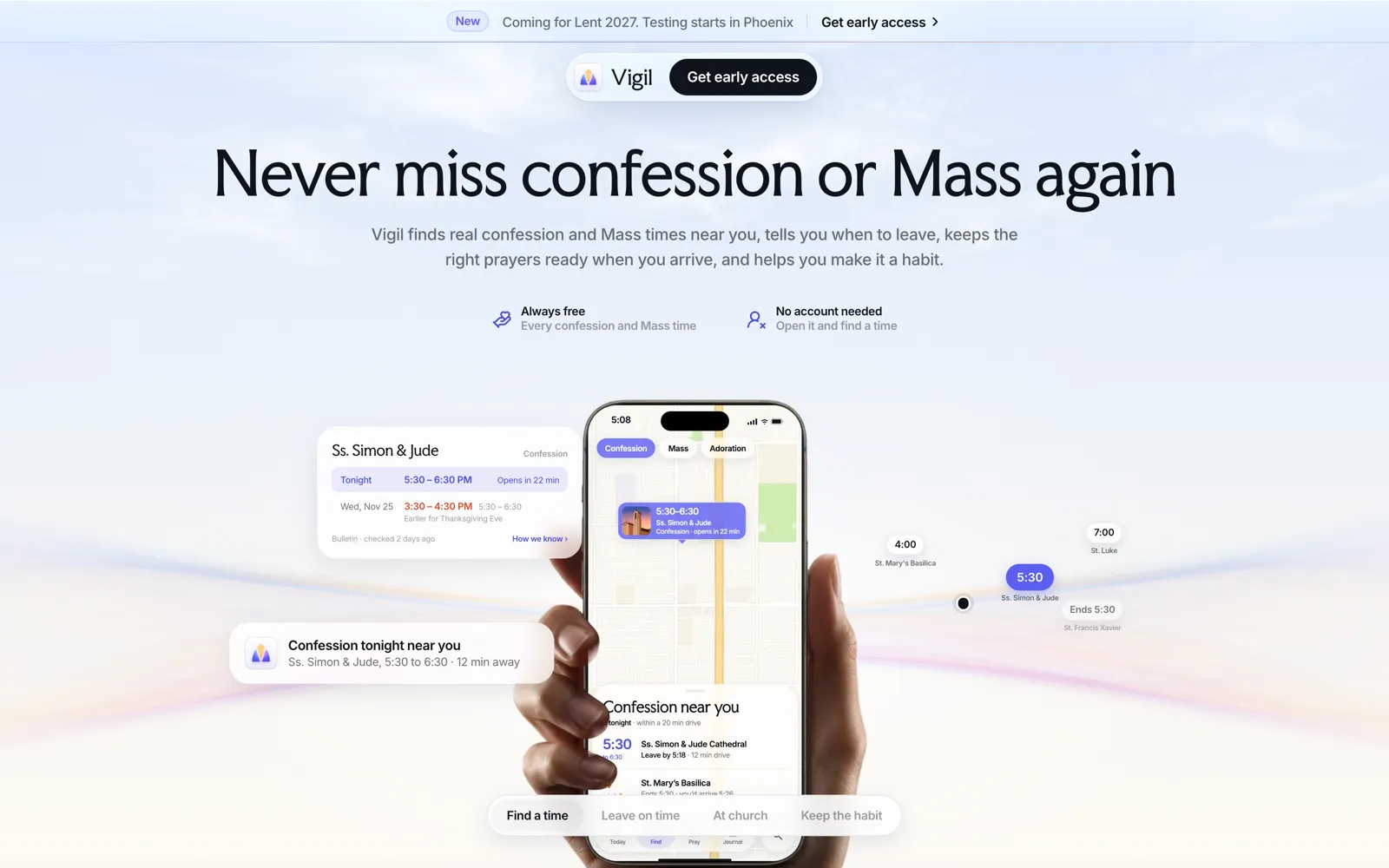
We design and build websites and apps, so we have no reason to push one over the other. We make our own app too: Vigil, an iPhone app for finding Mass and confession, coming for Lent 2027. It has a website, and we made that as well.
If an app would earn its place, the same small team designs and builds it, along with the website and any software behind it. It’s yours from the start, and we look after it for as long as you want, or train your team to. If the test at the top says a website will do, we’ll tell you that, the same way our Compare pages do.
Where these facts come from
Every fee, rule and date on this page comes from Apple’s, Google’s, WebKit’s and Mozilla’s own pages, opened on 17 November 2026. Store rules and fees change often, so follow the links before you decide. We looked for a primary study of how people split their phone time between apps and websites, with its sample and date open to read, and didn’t find one, so this page doesn’t quote one.
- Apple, “App Review Guidelines,” sections 3.1.3(e) and 4.2. developer.apple.com, read 17 November 2026.
- Apple, “App Review.” developer.apple.com, read 17 November 2026.
- Apple, “Apple Developer Program,” $99 a year, as published on 17 November 2026. developer.apple.com
- Apple, “App Store Small Business Program,” 15% commission, as published on 17 November 2026. developer.apple.com
- Apple, “Upcoming Requirements.” developer.apple.com, read 17 November 2026.
- Apple, “Become a member,” Apple Developer Program. developer.apple.com, read 17 November 2026.
- Google, “Get started with Play Console,” US$25 one-time fee, as published on 17 November 2026. support.google.com
- Google, “Service fees.” support.google.com, read 17 November 2026.
- Google, “Payments” policy. support.google.com, read 17 November 2026.
- Google, “Functionality, Content, and User Experience” policy. support.google.com, read 17 November 2026.
- Android Developers, “Meet Google Play’s target API level requirement.” developer.android.com, read 17 November 2026.
- web.dev, Learn PWA, “Installation.” web.dev, read 17 November 2026.
- WebKit, “News from WWDC25: WebKit in Safari 26 beta,” 9 June 2025. webkit.org, read 17 November 2026.
- WebKit, “Web Push for Web Apps on iOS and iPadOS,” 16 February 2023. webkit.org, read 17 November 2026.
- MDN Web Docs, “Progressive web apps,” “Push API” and “Web Bluetooth API.” developer.mozilla.org, read 17 November 2026.